Aerospace and defense · Sharetru Federal
Send drawing packages to suppliers and collect their reports back. Control who can open CUI and ITAR drawings, and keep the record.
Sharetru Federal is FedRAMP Rev 5 (Class C) Certified (the new name for FedRAMP Moderate), listed in package F1311222650. Suppliers join free, as guests.
- SendDrawing packages out; PDFs view-only
- CollectInspection reports and certs back
- AutomatePLM and ERP jobs over SFTP
- RecordViews and downloads, kept 12 months
60-minute demo on a live site · 15-day free trial
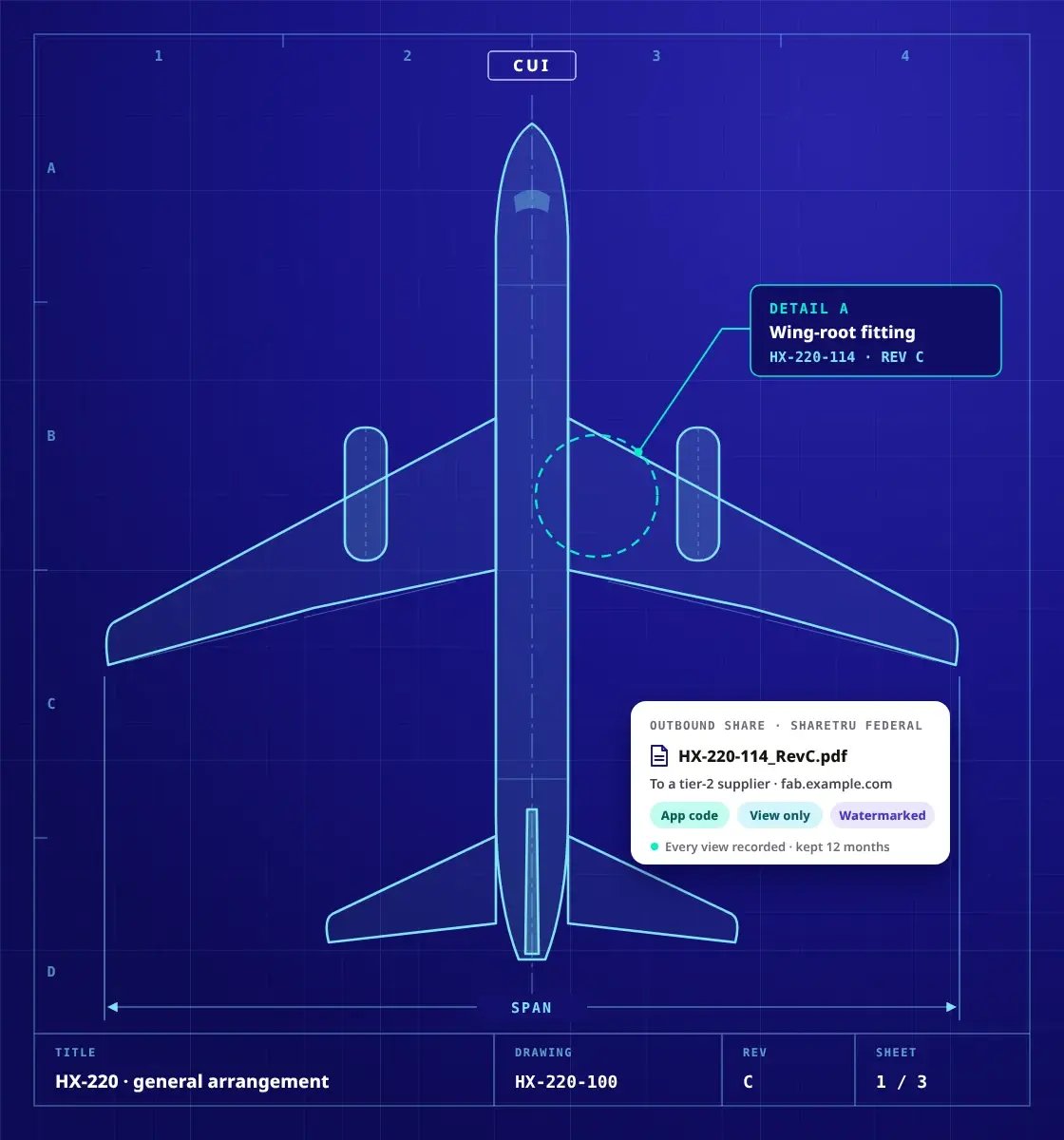
Where control slips
Where does technical data leave your control in a defense supply chain?
At the hand-offs: every package that crosses to a prime, a supplier or a machine shop leaves your systems. For controlled unclassified information (CUI) and ITAR data, four hand-offs carry most of the risk.
Holding a prime’s questionnaire? Bring it to a 30-minute security and compliance review; we answer its questions about Sharetru Federal in writing afterwards, and DFARS (c)–(g) once our signed statement is published.
Request the review-
A prime’s flowdown
Your prime asks which file service holds its CUI, and for the package ID
DFARS 252.204-7012 flows down to subcontractors that handle covered defense information. A cloud service that holds it must meet requirements equivalent to the FedRAMP Moderate baseline and comply with paragraphs (c)–(g).
Answered by For the FedRAMP part, the FedRAMP Marketplace listing (opens in a new tab): MIS Sciences Corporation’s GovPoint package F1311222650 names Sharetru Federal under Certified Services. For (c)–(g), see the rules below.
-
Drawings by email
Engineering packages go out as attachments and come back as replies
Each copy lands in another mailbox, nobody can say who opened revision C, and a forwarded message carries the drawing with it.
Answered by The seven controls below: a sent link tied to its recipient, an app code on web sign-ins, an optional watermark and a 12-month record.
-
An enclave with no side door
Your GCC High tenant holds the CUI, and your suppliers can’t get in
Every supplier invited into your tenant is another account inside it; refusing them sends the drawings back to email.
Answered by Sharetru Federal alongside it: suppliers get accounts on the exchange, not in your Microsoft tenant.
-
Export-controlled data
An ITAR drawing has to reach a U.S. supplier, and the decision is yours to defend
No certification exists for a file service under ITAR, so who may receive technical data stays your call, and you will want a record of which account opened what, and when.
Answered by The ITAR page, and the controls below: your call, where sign-ins may come from, U.S.-citizen administration.
The exchanges
Which aerospace and defense exchanges does Sharetru Federal carry?
The ones that cross company lines on a program: RFQs and drawings out, inspection reports and deliverables back, nightly jobs both ways. Each row names how it moves, what Sharetru Federal applies and what stays your call.
One program’s hand-offs
Seven exchanges, out and back
| Exchange | How it moves | What Sharetru Federal applies | What stays yours |
|---|---|---|---|
RFQ and bid packagesto prospective suppliers |
A link from the web app | Each link Sharetru sends is tied to its recipient’s address; expiry up to 365 days; a watermark on viewable files if you turn it on | Who is invited to bid |
Build-to-print drawings and modelsthe technical data package |
A link, or SFTP from your PLM | App-code sign-in on the web, guests included; PDFs and Office files can be view-only, and watermarked if you turn it on; native CAD is downloaded to open; views and downloads recorded | Marking, and whether it is ITAR or EAR data |
Engineering changesECO and ECR packages |
A program folder per supplier | Folder permissions by group; every replacement and deletion recorded, with who and when; no prior versions are kept | Revision control, in your PLM |
First article inspection reports and certsback from suppliers |
An inbound link, or the supplier’s folder | Uploads land on your site, and in the record | Reviewing what arrives |
CDRL deliverablesto the prime or the government |
A link, or the REST API | Each view and download recorded with the account and the time | The contract’s data requirements |
Nightly PLM and ERP exportssystem to system |
SFTP, SCP, FTPS or FTPeS | An SSH key over SFTP or SCP; on Complete, approved IP ranges and protocols per account; FIPS 140-3 validated modules; every session recorded | The job and its schedule |
A foreign partner under a licenseexport-controlled data |
A link, when the partner is authorized | Country access starts at the United States, and checks where a sign-in comes from, not who the person is | The license and the authorization; adding the country follows them |
Moving files between two systems you run? The protocols, keys and API are on the automation page; this page is about the people on the other end.
When auditors asked ‘who downloaded the file and when?,’ we answered with a single export—no email archaeology.
Alongside what you run
Where does Sharetru Federal sit beside GCC High, SharePoint and your PLM?
At the edge: your enclave and your PLM stay the systems of record, and Sharetru Federal is where files cross to people outside them. How it runs alongside GCC High.
Your enclave stays the system of record
Documents, Teams and email stay in your tenant; only the files that cross to a supplier go through Sharetru Federal. Suppliers get accounts on the exchange, not in your tenant; the exchange service and its data flows go in your system security plan (SSP) like any external provider.
Your PLM and ERP jobs keep running
Systems connect over SFTP, SCP, FTPS or FTPeS, or the REST API. Your PLM keeps revision control: Sharetru keeps no prior versions of a file.
Your SIEM gets the record
Forward every event by syslog to your SIEM and export CSV for an assessor. On the Complete plan, staff sign in through your identity provider.
See a supplier exchange on a live Sharetru Federal site.60 minutes, sample drawings, your questions.
No more ‘can’t upload that extension.’ Engineers don’t even think about the platform—which is the point.
The controls, part by part
What controls one drawing package on Sharetru Federal, and which parts are yours?
Seven layers, numbered like a parts list: four that Sharetru Federal sets, two Sharetru rules that you configure, and one that is your call. They govern access and activity on Sharetru Federal; what a recipient does with a downloaded copy stays outside any file service.
- HX-220-114 · Rev CWing-root fitting · drawing package
- 1Your callMarking · jurisdiction
- 2RecipientsDomains · countries
- 3Sign-inApp code · restrictions
- 4Link and viewBound link · watermark
- 5EncryptionFIPS 140-3 · TLS 1.3
- 6Record12 months · export
- 7BoundaryFedRAMP Moderate · U.S.
Sharetru FederalSharetru rule, you configureYours
Exploded view · one drawing packageIllustrative · not to scaleSheet 1 of 1
Illustrative: the part and the drawing are invented. “Set by” says who sets each layer on your site; layers 1, 2 and 4 have no single related control. The related controls are NIST SP 800-53 Rev 5, the FedRAMP baseline’s; a related control is not proof that a control is met. Which of the 320 assessment objectives (NIST SP 800-171A) are Sharetru Federal’s, shared or yours is set out one by one in Sharetru’s responsibility matrix, summarized on the CMMC page.
Parts list: the seven layers on one drawing package
| Item | Layer and what it does | Related SP 800-53 control | Set by |
|---|---|---|---|
| 1 | Your callMark it CUI, decide whether it is ITAR or EAR technical data, and decide who may receive it. Sharetru does not inspect or classify files. | — | Yours |
| 2 | RecipientsOnly the domains you allow receive links, or the ones you block never do. Country access starts at the United States and checks where a sign-in comes from; adding a country is your decision. | — | Sharetru rule, you configure |
| 3 | Sign-inEvery web sign-in takes an authenticator-app code, guests included, and 3 failed attempts in 15 minutes lock the account for 60. On Complete, any account, including SFTP and FTPS logins with a password or SSH key, can also be held to approved IP ranges and protocols. | IA-2(1)IA-2(2)AC-7 | Sharetru Federal |
| 4 | Link and viewA link Sharetru sends is tied to its recipient’s address, and a forwarded copy is refused. Files the browser viewer opens (PDFs, Office files, images) can be view-only. Watermarking is off until an administrator turns it on; then it is dynamic, built from merge fields such as the viewer’s address and the time, plus your own text. | — | Sharetru rule, you configure |
| 5 | EncryptionFIPS 140-3 validated modules; AES-256 at rest; TLS 1.3 only on HTTPS and FTPS connections, with TLS 1.2 not offered. | SC-8(1)SC-13SC-28 | Sharetru Federal |
| 6 | RecordViews, uploads, downloads, links and permission changes on your site, kept 12 months. Export to CSV or forward by syslog to your SIEM to keep them longer. | AU-11 | Sharetru Federal |
| 7 | BoundaryFedRAMP Rev 5 (Class C) Certified, listed in MIS Sciences Corporation’s GovPoint Cloud Services package: U.S. data centers for production and disaster recovery, administered only by U.S.-citizen staff. | FedRAMP package F1311222650 | Sharetru Federal |
The rules behind the hand-offs
Which rules reach a drawing you send to a supplier, and where do we cover each one?
Three sets of rules meet at the hand-off: DFARS 252.204-7012, the CMMC program and ITAR. Each has its own page on this site; here is how they chain together, and which page goes deeper.
- 1
Your contract carries DFARS 252.204-7012.
It covers covered defense information on your systems, and it flows down to subcontractors that handle it.
- 2
A cloud service that holds it must meet requirements equivalent to the FedRAMP Moderate baseline, and paragraphs (c)–(g).
Requirements equivalent to the Moderate baseline, plus (c)–(g): incident reporting, malicious software, media preservation, forensic access and damage assessment. Sharetru Federal is FedRAMP Rev 5 (Class C) Certified; Sharetru has not yet published written terms on (c)–(g).
- 3
CMMC assesses how your environment protects it.
The standard is NIST SP 800-171; the program is 32 CFR 170. Where CMMC stands now is on the CMMC page.
- 4
ITAR decides who may receive technical data.
Recipients, licenses and jurisdiction stay your decisions. The ITAR page covers what Sharetru Federal adds.
Read the chain clause by clauseWhat each rule asks, what Sharetru Federal provides, and the page that goes deeper
| Rule | What it asks | What Sharetru Federal provides | Source |
|---|---|---|---|
| DFARS 252.204-7012Safeguarding covered defense information | Protect covered defense information on your systems; a cloud service that stores, processes or transmits it meets requirements equivalent to the FedRAMP Moderate baseline and complies with paragraphs (c)–(g): cyber incident reporting, malicious software, media preservation and protection, access for forensic analysis, and damage assessment. | A FedRAMP Rev 5 (Class C) Certified service, listed in package F1311222650. Sharetru has not yet published written terms on (c)–(g); confirm what applies to your contract in writing before you rely on it, or ask in the security and compliance review. | acquisition.gov (opens in a new tab)Deeper: the FedRAMP page |
| NIST SP 800-171 Rev 2Protecting CUI in nonfederal systems | 110 security requirements for the systems that hold CUI, assessed through 320 objectives in NIST SP 800-171A (June 2018). | A responsibility matrix that marks every objective Sharetru Federal’s, shared or yours. | NIST CSRC (opens in a new tab)Deeper: the CMMC page |
| 32 CFR 170The CMMC program | An assessment scoped to the assets and external services that process, store, transmit or protect CUI, with each external provider documented in your system security plan. | A listing to cite and a responsibility matrix to attach for the exchange service and its data flows. | eCFR (opens in a new tab)Deeper: the CMMC page |
| ITAR22 CFR 120–130 | Control the export of defense articles and technical data, including release to foreign persons. | U.S. data centers, U.S.-citizen administration, country access and a record of which account opened what, and when. | eCFR (opens in a new tab)Deeper: the ITAR page |
Nothing here is legal advice; your contracting officer, counsel and assessor decide how each rule applies to you.
Plans and pricing
What does it cost to run supplier exchanges on Sharetru Federal?
Your Sharetru plan + the Sharetru Federal package ($200 a month on top of your plan) + your storage, on a 12-month commitment. Suppliers join as guests, so they never add to the bill.
Your plan
Core or Complete
Core: 10, 20 or 30 users.
Complete: unlimited users.
Single sign-on and dual authorization on Complete
Sharetru Federal package
The certified environment
FedRAMP Rev 5 (Class C) Certified, FIPS 140-3 modules, a 12-month record and optional dynamic watermarking.
$200 a month on top of your plan
Storage
Grows with the program
Add storage in fixed steps as the program grows.
Your quote
One annual figure
A 12-month commitment, billed monthly or annually (annual saves 10%).
Get a quoteThe trial: pick Core or Complete on the plan page, add the Sharetru Federal package and check out. Cancel during the 15 days and you owe nothing; on day 16 the trial becomes your paid 12-month subscription on the same site, with your setup intact. Website prices are estimates; your quote is the official price. Onboarding: a session with us walks through the setup and the responsibility matrix, and support terms come with your quote.
Why Sharetru Federal and not Sharetru Commercial?
Choose Sharetru Federal when a contract names CUI, covered defense information or FedRAMP Moderate, and for ITAR technical data. Sharetru’s policy is that ITAR technical data belongs on Sharetru Federal; commercial aerospace work without those requirements can run on Sharetru Commercial. The table shows what the Federal package changes.
| What differs | Sharetru Commercial | Sharetru Federal |
|---|---|---|
| FedRAMP Rev 5 (Class C) | —Not certified | Certified |
| Responsibility matrix | —Not included | Included |
| FIPS 140-3 validated modules | —Not included | Included |
| MFA on web sign-ins | When you require it | Required, app only |
| Dynamic watermarking | —Not included | Included, optional |
| Activity record | 3 or 6 months | 12 months |
For MSPs and CMMC consultants
Your defense clients need a file service their primes will accept. Partner with us to deliver it.
A referral program for the firms that advise defense suppliers, and an MSP Administrator role with no file access of its own. It can assign roles, including ones that open files, and every permission change lands in the record.
- Referral program
- One MSP Administrator role per client site
- Each client site administered on its own
FAQ
What aerospace and defense teams ask before they move technical data
Primes and suppliers
Will our prime accept Sharetru Federal for its CUI?
Your prime decides; what Sharetru Federal gives you to show it is a FedRAMP Moderate package it can check for itself, F1311222650. Cite the Marketplace listing (opens in a new tab), attach Sharetru’s responsibility matrix to your SSP, and share it with your prime under a written confidentiality agreement (Terms of Service §7.9). DFARS (c)–(g): see the rules.
Do our suppliers need to buy Sharetru?
No: suppliers join your site as guests, and guests never take a paid seat, on every plan. Each registers once and signs in with an authenticator-app code; a lost phone is reset in one click by your site or user administrator. Daily suppliers can be registered users instead: unlimited on Complete, counted as users on Core.
Engineering data
Can it carry large CAD assemblies and every file type we use?
Yes: no file-size limit on an outbound share beyond your storage, and no file-type restrictions on either platform. Up to 50 files or folders go in one outbound share; for nightly or very large sets, connect your PLM or a script over SFTP or FTPS.
Can suppliers preview a drawing, and can we stop downloads?
Yes for PDFs, Office files and images: a link can make them view-only, and watermarking adds the viewer’s details if an administrator turns it on. Native CAD models download in full and open in the recipient’s own CAD tools; what happens after download is yours to govern.
Does Sharetru keep earlier revisions of a drawing?
No: Sharetru keeps no prior versions of a file, so your PLM stays the place that controls revisions. The record shows when a file was replaced or deleted, and by whom; send released revisions, named so the supplier can tell them apart.
Export control and compliance
Is Sharetru ITAR certified?
No: ITAR has no certification for software or cloud services; the State Department’s DDTC registers companies and licenses exports. Sharetru Federal holds technical data in U.S. data centers administered by U.S.-citizen staff; recipients, licenses and jurisdiction stay your decisions. More on the ITAR page.
Can we send to a foreign partner that holds a license?
Where the recipient and the transfer are authorized, you can add the partner’s country so the connection is allowed. Country access checks where a sign-in comes from, not who the person is; the license and the decision stay yours.
Does using Sharetru Federal make us CMMC Level 2 compliant?
No: it makes the file service an external cloud service your assessment can account for, documented in your SSP with Sharetru’s responsibility matrix. The objectives the matrix marks yours stay yours: your devices, your network, your people and your policies. More on the CMMC page.
We’re commercial aerospace, with no CUI or ITAR data. Do we need Sharetru Federal?
Not necessarily: Sharetru Commercial carries proprietary engineering files with the same roles and link controls, and it is SOC 2 Type II Attested. It has no watermarking and keeps a 3- or 6-month record. Choose Sharetru Federal when a contract names CUI, covered defense information or FedRAMP Moderate, or for ITAR technical data.
Running it
Who administers Sharetru Federal, and where is our data?
Only U.S.-citizen staff administer it, in U.S. data centers inside the GovPoint boundary, for production and disaster recovery. These are Sharetru’s statements rather than fields on the FedRAMP listing; the security and compliance review puts them in writing for your file.
What do we set up ourselves, and who helps?
Four steps: pick a plan and the Federal package on the plan page, name your site, create groups and folder permissions, invite users and guests. The FedRAMP presets are already at the baseline, and single sign-on is on Complete. A session with us walks through the setup and the matrix; support terms come with your quote.
Next step
See a supplier exchange, from drawing package out to inspection report back.
The demo runs 60 minutes on a live Sharetru Federal site with sample files: a drawing package out to a supplier, an inspection report back, and the activity export your assessor would read.
Ready to try it? Start the trial on the plan page. Not a compliance project? Talk through how you move files today.
Sources: the FedRAMP Marketplace listing for package F1311222650, DFARS 252.204-7012, NIST SP 800-53 Rev. 5, NIST SP 800-171 Rev. 2 and SP 800-171A, 32 CFR 170, the ITAR (22 CFR 120–130), Sharetru’s NIST SP 800-171 responsibility matrix, the Sharetru Terms of Service, the plan page and the Knowledge Base. Customer quotes are from Sharetru customers in aerospace and defense. Drawings, part numbers and screens are illustrative. Nothing on this page is legal advice or a statement about the outcome of your assessment.